Original recording / 01
Project & work-item delivery
Follow project planning, work items, and the delivery workflow.
Many workflows. One connected workspace.
A multi-tenant enterprise platform connecting project delivery, people, learning, collaboration, reports, and AI-assisted workflows.
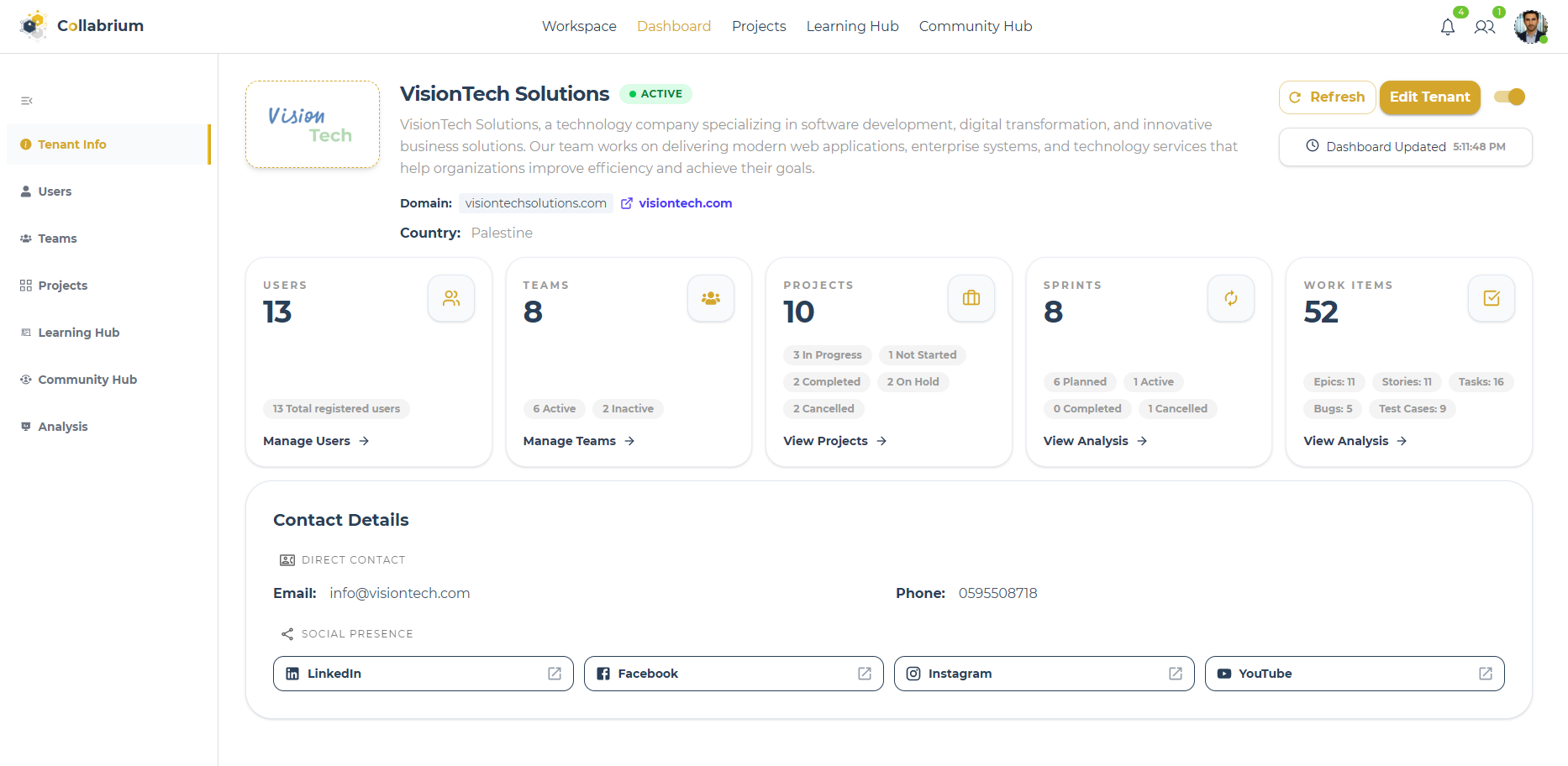
Actual product screen from the Collabrium project archive.ENGINEERING CASE STUDY
Modern teams often spread their work across disconnected tools. Collabrium brings project management, people, learning, community, reporting, and AI assistance into one enterprise workspace.
The challenge was to make those features behave as one system: a user’s tenant, role, project membership, and account state all affect what they can see and do.
I led the team through requirements analysis, two-week Agile sprints, implementation, integration, testing, and delivery. On the backend, I translated requirements into domain rules, API contracts, and application use cases.
The solution separates the API, Application, Domain, and Infrastructure projects. The domain owns business rules; the application layer coordinates use cases through interfaces; infrastructure provides persistence and external integrations.
Commands and queries take different paths. Commands use domain models, repositories, and a Unit of Work. Queries use purpose-specific read models and DTO projections. Domain models and persistence entities are separated through explicit mappers.
These choices connect the platform’s domain, persistence, access rules, and user experience. Open a decision to explore its implementation and the responsibility it serves.
The middleware resolves the authenticated user and tenant, checks activation and membership, and sets the scoped tenant context. Ordinary tenant-aware HTTP requests use the resulting context; hub routes and explicitly exempt endpoints follow separate paths.
What this supportsA request for a different organization is rejected before ordinary tenant-scoped work continues.
Explore the implementationThe project-access handler verifies that the requested project belongs to the user’s tenant, then applies role and project-membership rules. Knowing a project ID does not establish access.
What this supportsProject resources have an explicit authorization boundary in addition to authentication.
Explore the implementationA successful token refresh revokes the stored token, records its replacement, and persists a new refresh token with an expiry. The service rejects an inactive token before the refresh path proceeds.
What this supportsRotation and revocation have a visible representation in persistence.
Explore the implementationThe registered request validator, when present, runs in the MediatR pipeline. Global exception handling groups validation errors by field and maps other failures into Problem Details with a trace identifier. Exception type and stack traces are added only in development.
What this supportsClients receive structured error information while the API keeps exception handling out of individual controllers.
Explore the implementationThe domain validates allowed Epic, User Story, Task, Bug, and Test Case relationships. It rejects invalid type pairings, self-relations, duplicate relations, and prohibited parent/child configurations.
What this supportsHierarchy rules remain part of the model as users connect work across boards and detail views.
Explore the implementationUserStory applies different gates for testing, release, and completion. Completion checks child tasks and bugs are done and child test cases have passed, then delegates the state change to the shared workflow behavior.
What this supportsA story’s completion reflects its child delivery and quality work.
Explore the implementationCompleteSprint moves only incomplete items back to the backlog. Completed items stay linked to the sprint while its completion and history update share a transaction.
What this supportsMoving unfinished scope forward preserves the meaning of historical delivery reports.
Explore the implementationPatchHelpers distinguishes an omitted string from a request to clear it or set a new value. Work-item updates also validate sprint relationships and move a user story’s recognized children with it when appropriate.
What this supportsEditing one field can leave another unchanged, and moving related work can preserve the hierarchy’s sprint invariant.
Explore the implementationMulti-step writes run through ExecuteInTransactionAsync. It executes the operation, saves, and commits, or rolls back when an exception escapes. Work-item creation coordinates a generated project code, the item, and its creation history.
What this supportsRelated database changes have a clear commit boundary.
Explore the implementationRead models combine tenant and project scoping with filtering, projections, and AsNoTracking where appropriate. The display-name lookup selects only a work item’s code and title rather than its full entity graph.
What this supportsEach read can express the shape and scope of the data its caller needs.
Explore the implementationProjectHistoryRecorder compares snapshots, skips unchanged values and ignored technical properties, and resolves values for display before creating history records. A responsible user and related work context accompany the change.
What this supportsA teammate can understand what changed without interpreting raw related-record identifiers.
Explore the implementationWork-item AI output goes through JSON extraction, typed deserialization, normalization, and usability checks. Invalid responses trigger repair prompts within a bounded attempt loop, with fallback suggestions afterward. Normal commands validate the final user-approved data.
What this supportsAI can assist the workflow while the application controls usable structure and persistence.
Explore the implementationPresence, comments, and notifications use separate hubs. The comment hub resolves tenant context and works with the selected project and work item when loading discussion and routing updates.
What this supportsLive collaboration stays connected to the work resource the user opened.
Explore the implementationSprint completion publishes an application event with relevant context. Separate notification and email handlers own their response. Notification handling filters and deduplicates recipients before delivery.
What this supportsEach follow-up has a distinct responsibility. The current events are in-process MediatR notifications, without a durable broker guarantee.
Explore the implementationHosted workers use PeriodicTimer and cancellation tokens. Each reminder run creates a service scope, finds due events, targets attendees, and marks processed reminders. Scheduled announcement delivery has a corresponding worker.
What this supportsTime-based behavior runs independently of page visits, within the ASP.NET Core host.
Explore the implementationScoped report data feeds JSON views, ScottPlot charts, QuestPDF exports, and AI interpretations. The current enum defines ten analytical report types, with sprint-summary functionality exposed separately.
What this supportsThe same analytical context can serve the interface, a portable document, and an assisted explanation.
Explore the implementationUpdateWorkItemStatus rejects unassigned or blocked items, permits managers or the current assignee, checks allowed transitions, and requires a passed result before completing a test case. It then applies domain validation and records the change in a transaction.
What this supportsThe status endpoint combines permission checks with business preconditions.
Explore the implementationAddWorkItemAttachment resolves the project and work item within the tenant, rejects empty uploads, and permits a manager, current assignee, or creator before calling storage. Attachment metadata and creation history are then saved in a database transaction.
What this supportsUpload permission is checked before the external storage operation. The database transaction covers metadata and history, not the external upload.
Explore the implementationAttachmentStorageFactory routes images and videos to their dedicated Cloudinary implementations, and documents or logs to file storage. The upload command asks the factory through IAttachmentStorageFactory.
What this supportsThe use case can select storage behavior through an interface while infrastructure owns the provider-specific implementation.
Explore the implementationWorkItemConfiguration defines project-based composite indexes for sprint/creation time, type, status, assignee, priority, and creation time. It also declares a unique code index and a discriminator for concrete work-item entity types.
What this supportsThe database model expresses uniqueness, query access paths, and work-item specialization explicitly. These declarations do not claim a measured performance gain.
Explore the implementationTeamsRepository converts the persisted team to its domain model before adding or removing members. Team rejects additions to inactive or full teams and prevents removal of the current lead; the repository then updates member rows and maps the domain state back.
What this supportsThe repository applies the membership rules when synchronizing database entities.
Explore the implementationUserStory.Estimate accepts only 1, 2, 3, 5, 8, or 13 story points. Constructors and the work-item update path call this method rather than accepting an arbitrary estimate directly.
What this supportsCreation and editing share the same allowed estimation values.
Explore the implementationFive original recordings cover the organization workspace, delivery workflows, reporting, the Learning Hub, and multi-tenant architecture.
Follow project planning, work items, and the delivery workflow.
Explore the organization workspace and the people and teams inside it.
See the reporting workflow and the analytical views of project work.
Explore roadmaps, courses, assignments, and shared learning resources.
A visual overview of Collabrium’s tenant structure and role hierarchy.
Use the player’s full-screen control to inspect the interface in detail. Recordings play on request.
All 202 application screenshots from the project archive, organized by module. Open a module, then select any screen to view it at full size.
The project began with a problem we recognized: organizations connecting their work across separate tools. These original visuals introduce the team, that challenge, and the connected platform we delivered.
Four original project visuals. Open an image to read it at full size.
The final thesis records the requirements and system design in 272 pages. The updated 53-slide graduation presentation demonstrates the platform and its workflows.
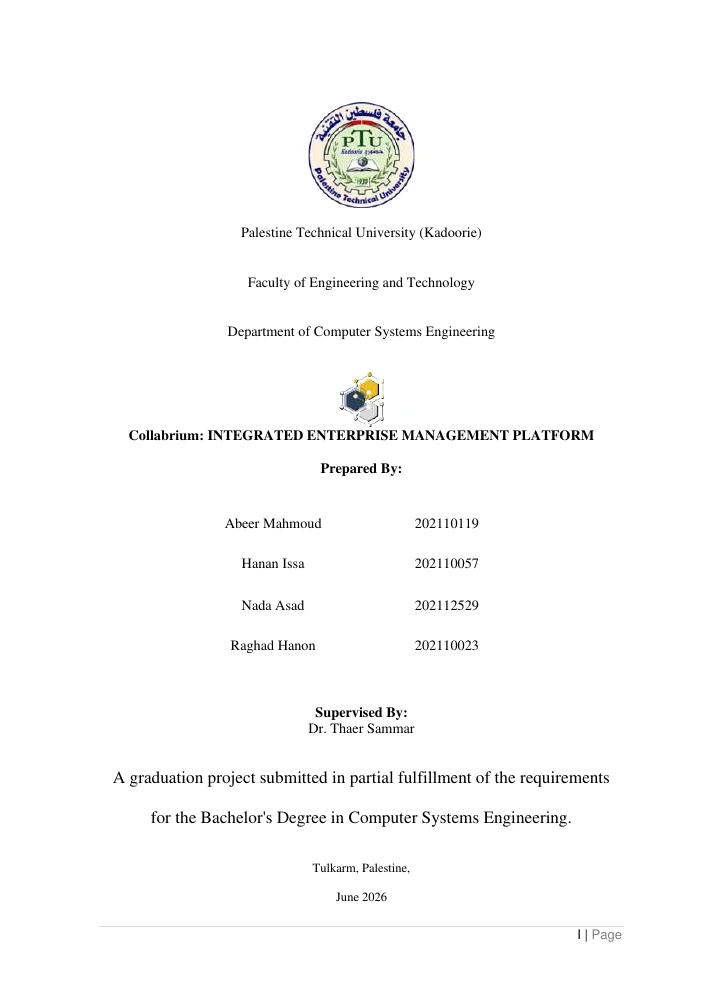
Requirements, system design, domain models, and the implementation walkthrough.
Read the thesis9.1 MB
The updated graduation presentation, including platform workflows and product demonstrations.
Download the presentation196.3 MBThis project taught me to reason about features as parts of one domain. A sprint change can affect work-item relationships, reports, history, and notifications. Clear boundaries and explicit invariants make those connections easier to manage.
My next iteration would strengthen integration coverage for cross-tenant access and authorization, add request tracing, and profile the most expensive analytical queries.
Explore the public code and the team’s frontend showcase for the implementation and product walkthroughs.
I’m open to junior .NET backend and software engineering opportunities. Have a role or a problem in mind? I’d love to hear about it.